Network Requirements
Network Requirements
This page lists the network access Remotle needs. It is for IT teams setting firewall, proxy and web-filter rules. For how a connection is made, see How Remotle Connects.
| Protocol | Port | Direction | From | Purpose |
|---|---|---|---|---|
| TCP | 443 | Outbound | Devices and workstations | Sign-in, workstation list, portal, connection set-up, updates, certificates, licence, logs |
| TCP | 9443 | Outbound | Devices and workstations | Connection set-up, on the connection service’s second port |
| UDP | 4443 | Outbound | Devices and workstations | Session traffic through a Computle relay |
| UDP | 3478 | Outbound | Devices and workstations | Network address discovery (STUN) |
| UDP | Any high port | Outbound | Devices and workstations | Direct session traffic between the device and the workstation, when the network allows it |
Check a network
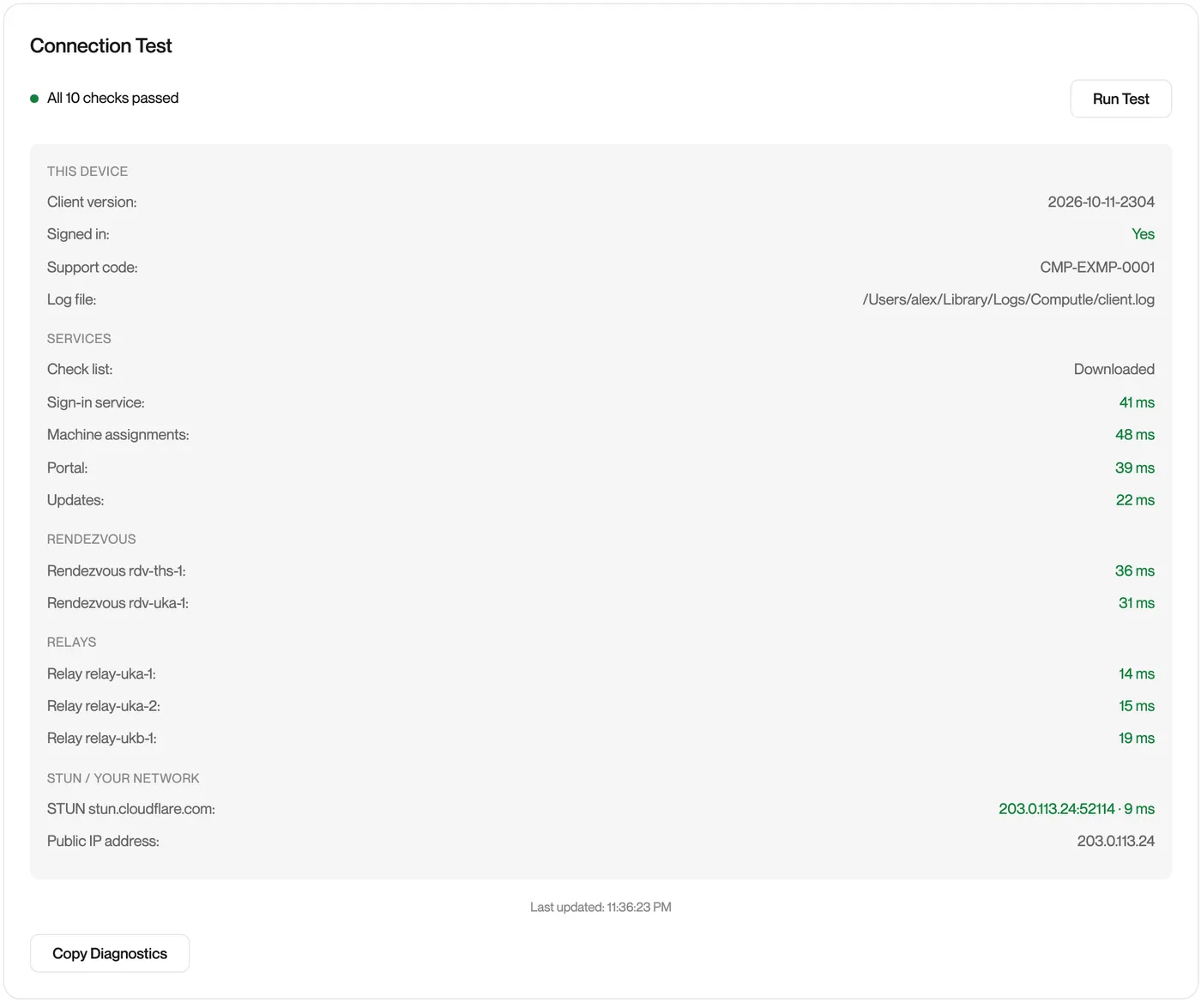
Section titled “Check a network”Once the rules are in place, open Computle (Remotle) on a device on that network, open Settings, Diagnostics and click Run Test. Every line should answer with a time in milliseconds. See Testing your network.
In this section
Section titled “In this section”Domains for user devicesSign-in, workstation list, portal, updates, logs and Microsoft sign-in.
Connection servicesConnection set-up, relay and STUN host names and addresses, needed by devices and workstations.
Proxies and TLS inspectionWhich traffic uses the system proxy, which can be inspected, and which must be excluded.
BandwidthPeak bitrate per screen at each resolution.
Testing your networkDiagnostics in the Remotle app.
Questions
Section titled “Questions”Do I need to open any ports?
Section titled “Do I need to open any ports?”No. Nothing inbound is needed on your firewall, your router, your devices or your workstations.