Network Requirements
Testing your network
This page is for IT teams confirming their firewall, proxy and web-filter rules. Run the test from a device on each network your users work from.
Testing from a device
Section titled “Testing from a device”-
Open Computle (Remotle) on a Windows, Mac or Linux device on the network, and sign in.
-
Open Settings, Diagnostics and click Run Test.
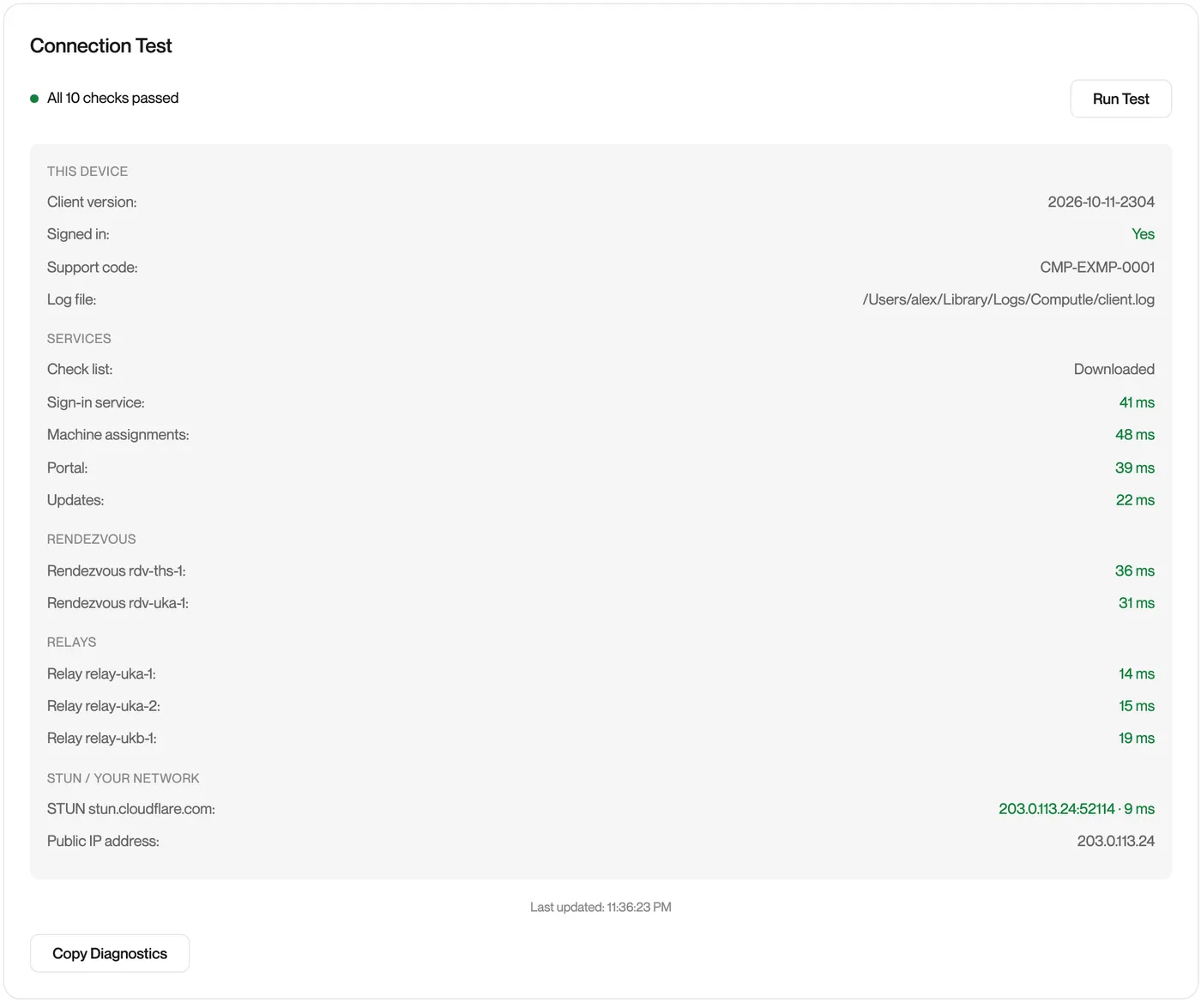
Remotle checks every service the device needs and groups the results. Every line should show a time in milliseconds.
-
Read any failures against the table below.
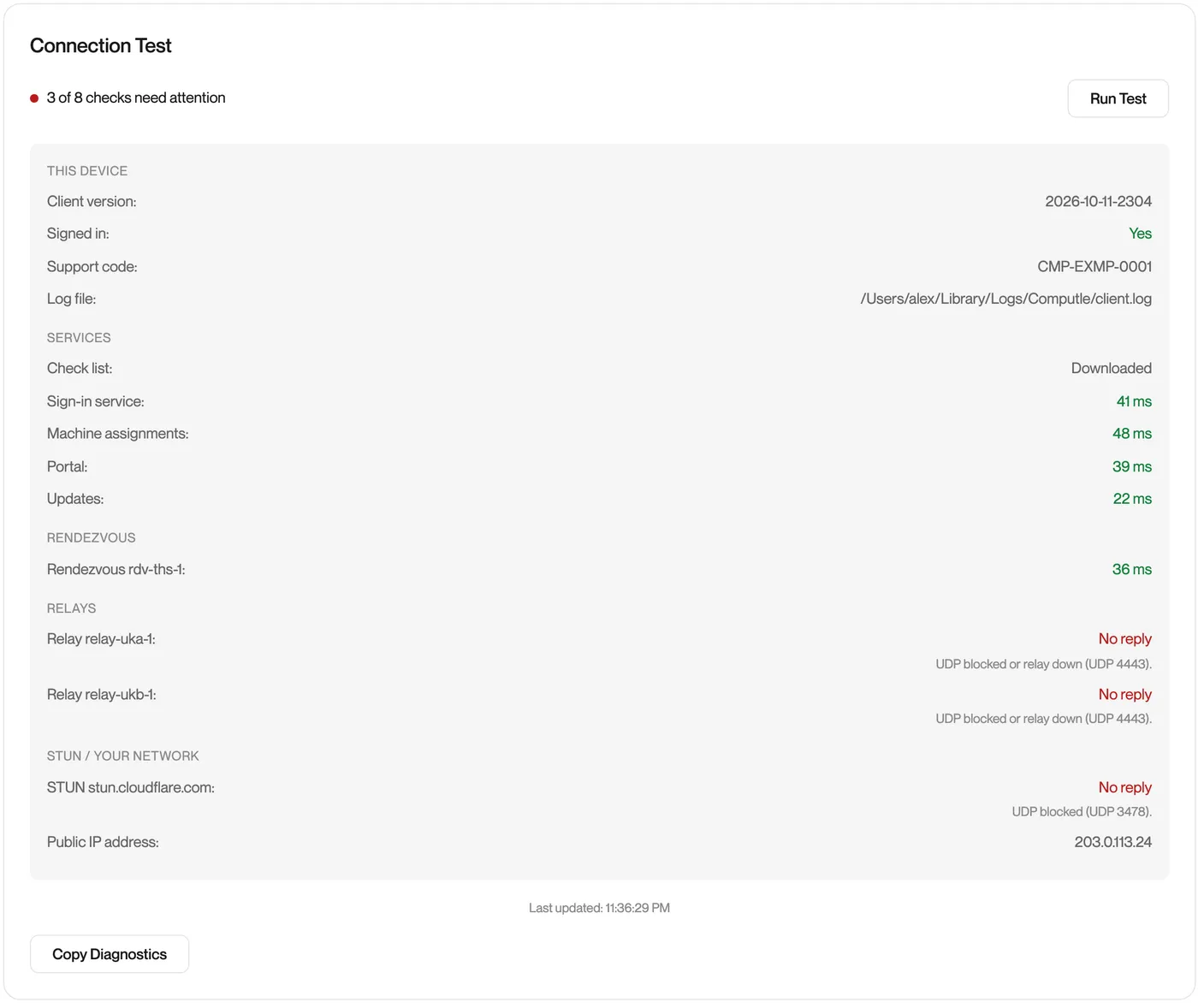
A network that blocks outbound UDP looks like this:
-
Click Copy Diagnostics to put the results on the clipboard for a ticket. See Diagnostics.
| Group | What it checks | A failure means |
|---|---|---|
| This device | Version, sign-in state, support code, log file | Information only |
| Services | auth.computle.com, asmgr.computle.com, portal.computle.com, updates.computle.com over TCP 443 | TCP 443 to that domain is blocked, or a proxy or inspection device is interfering |
| Rendezvous | Each connection service over TCP 443 | Connection set-up is blocked. Sign-in works, sessions do not. |
| Relays | Each relay on UDP 4443 | Outbound UDP 4443 is blocked. Sessions cannot use a relay. |
| STUN / Your network | stun.cloudflare.com on UDP 3478, and the device’s public address | Outbound UDP 3478 is blocked. Direct paths cannot be tried; relays still work if they pass. |
The list of services to check is downloaded from softwaredownloads.oncomputle.com each time, so a new relay is tested as soon as Computle adds it.
Without Remotle installed
Section titled “Without Remotle installed”Before Remotle is deployed, confirm the TCP paths from PowerShell on any Windows device. TcpTestSucceeded : True means the port is open; the UDP paths can only be confirmed with Diagnostics in the app.
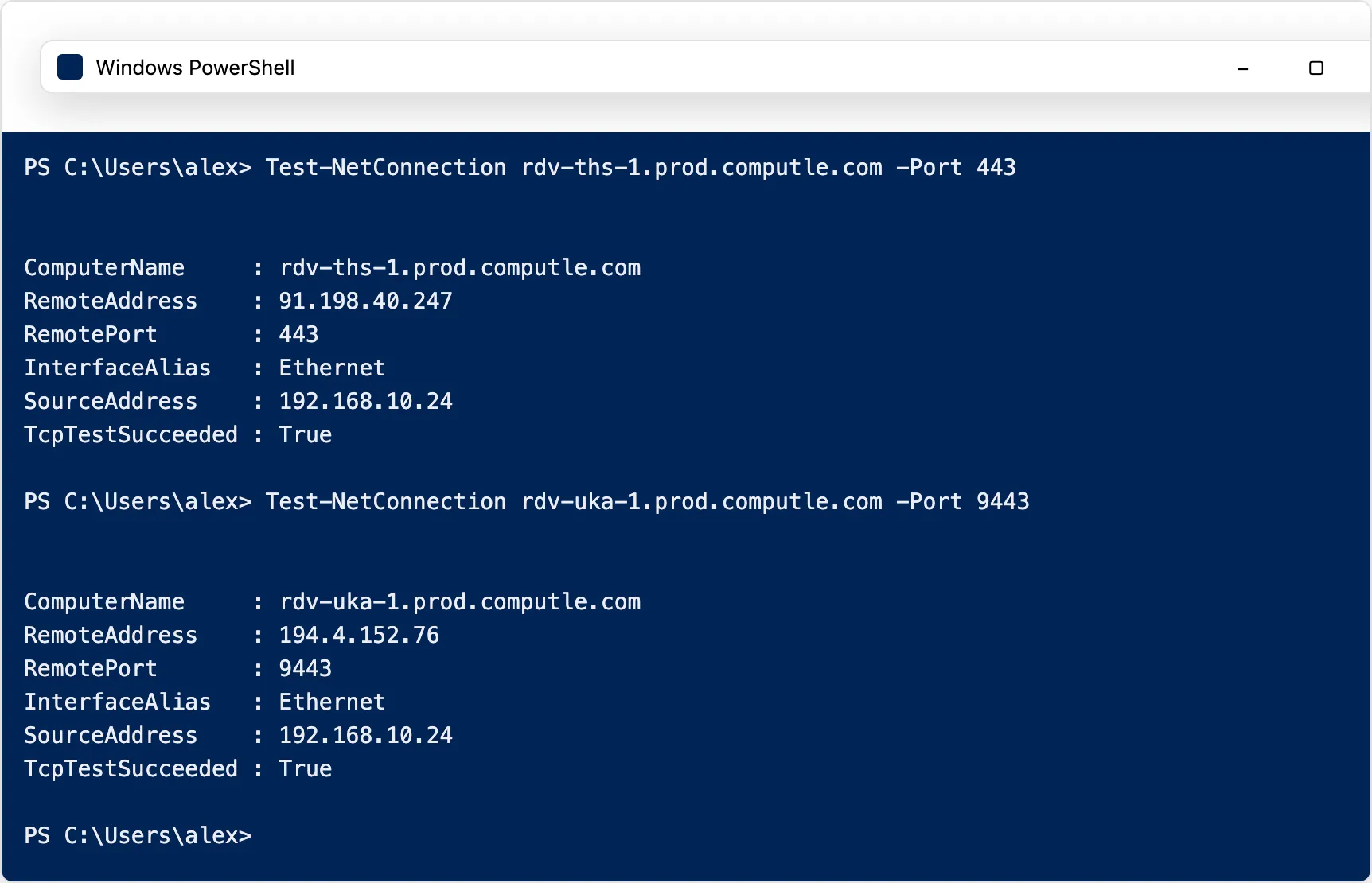
Test-NetConnection rdv-ths-1.prod.computle.com -Port 443Test-NetConnection rdv-uka-1.prod.computle.com -Port 9443Related
Section titled “Related”Questions
Section titled “Questions”Users can sign in and see their workstations, and Connect never completes
Section titled “Users can sign in and see their workstations, and Connect never completes”The session is UDP. Check the Relays and STUN groups in Diagnostics. If they show No reply, outbound UDP 4443 and 3478 are blocked.
Test-NetConnection succeeds but Diagnostics shows the connection service failing
Section titled “Test-NetConnection succeeds but Diagnostics shows the connection service failing”A TLS-inspecting device is answering the TCP connection and presenting its own certificate. Exclude the connection services from inspection, or trust the inspecting root on the device. See Proxies and TLS inspection.