Workstations
Workstations
Workstations are the machines Computle hosts for your organisation. An administrator manages them from the Machines, Operations and Monitoring sections of the portal sidebar: who has which workstation, whether it is running and healthy, what is installed and patched on it, and the policies that apply when someone connects.
A new starter, from invitation to first session
Section titled “A new starter, from invitation to first session”-
Add the person under Users.
Invite them with their work email address. See Users.
-
Assign them a workstation.
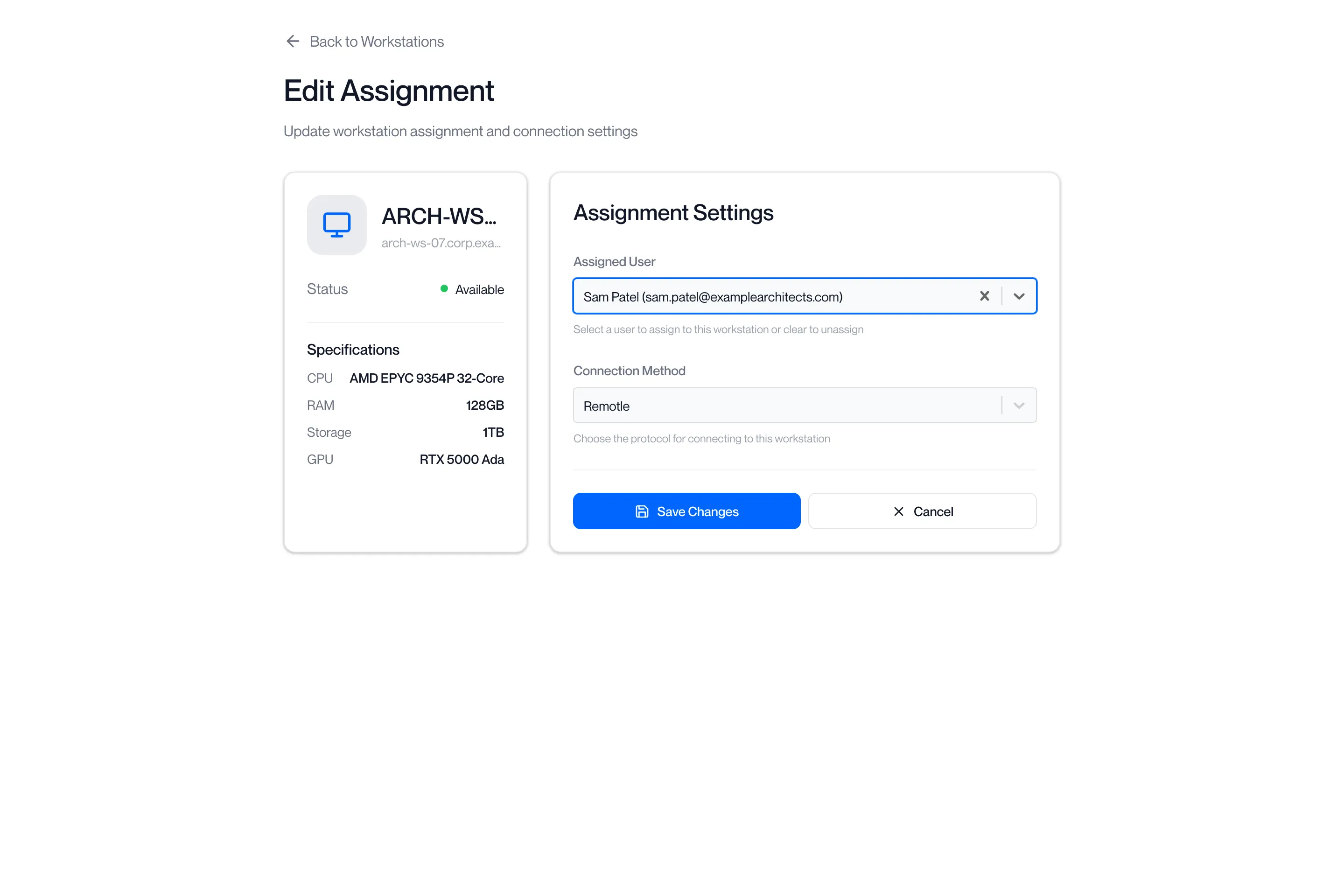
On the Workstations page, click ⋯ on an Available workstation and choose Edit Assignment. Choose the user and a connection method and click Save Changes. See Assigning workstations.
-
Check the workstation is ready.
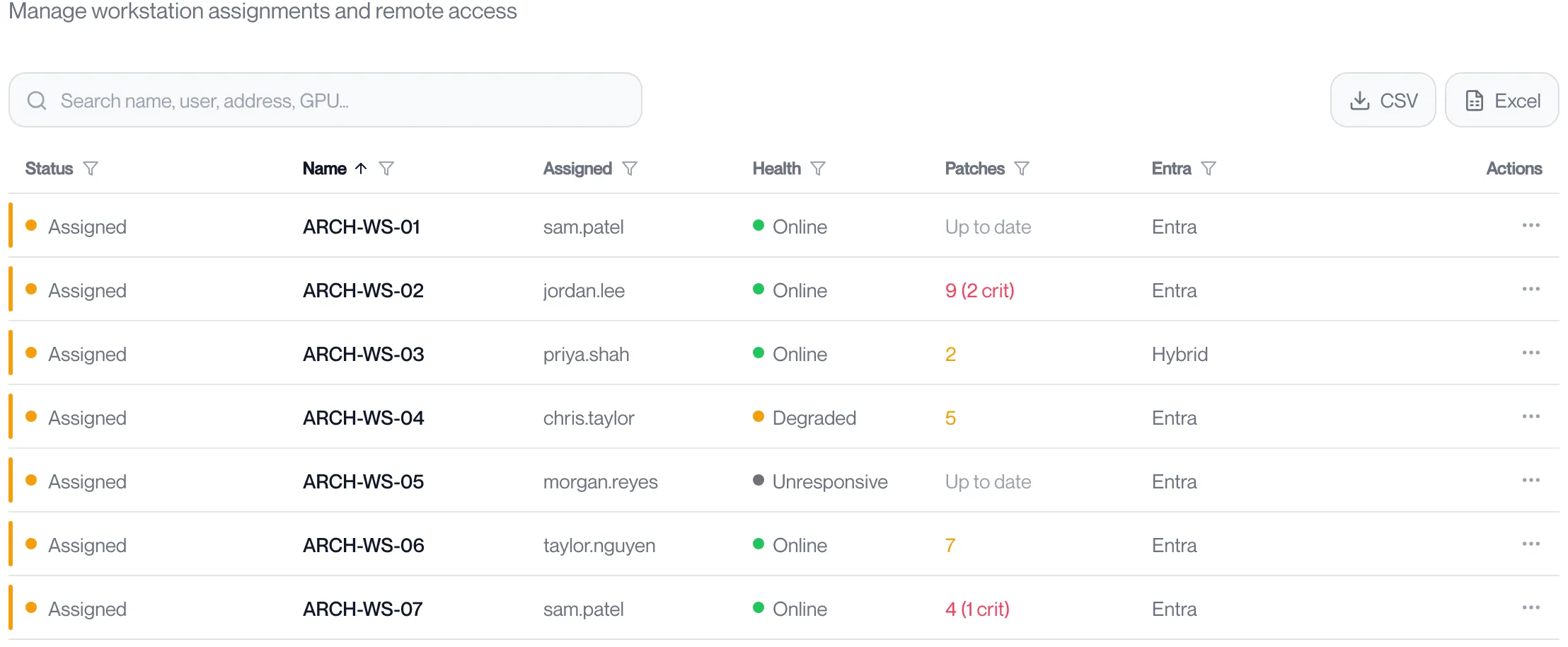
On the Workstations page its status reads Assigned, its Health reads Online and its Entra column shows it joined to your directory. If it is off, click ⋯ and Start; see Start, restart or shut down a workstation. The columns are explained under Workstations.
-
Set the policies that apply to their sessions.
Device features decides whether they can share USB devices and the clipboard, and what the workstation does when they disconnect. See App Settings.
-
They install the app and connect.
See Install the app.
The order to read these pages in
Section titled “The order to read these pages in”- Workstations: the list itself, every column, and the actions on each row.
- Power, console and password reset and Start, restart or shut down a workstation: Remote Connect, the browser console, the Administrator password reset, and each power action step by step.
- Assigning workstations: giving a workstation to a user, moving it, changing the connection method, or taking it back.
- Health and Workstation Telemetry: whether each workstation is well now, and how it has behaved over time.
- Machine Imaging, Patch Management, Vulnerabilities and App Deployment: what is installed on the workstations and keeping it current.
The policies that apply to every session are under App Settings.