Download and Install
Installers and checking your version. Open
Using the App
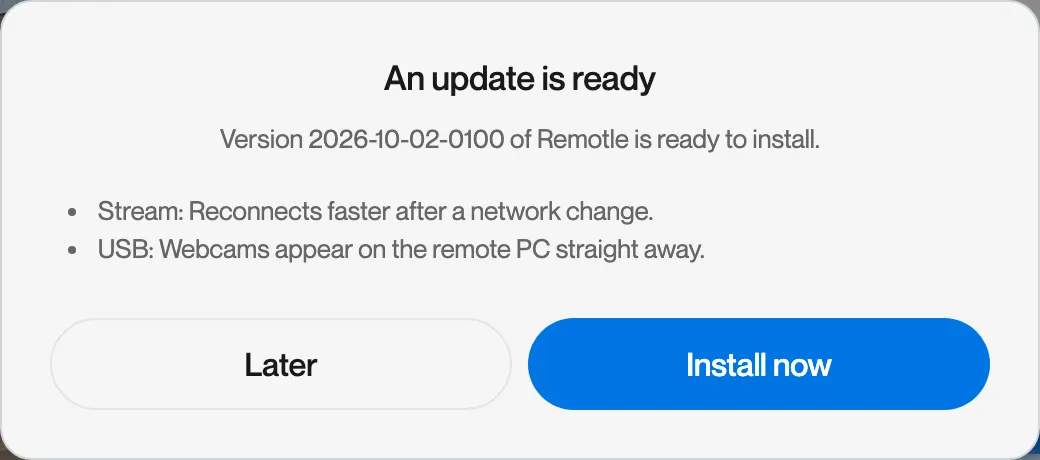
Remotle keeps itself up to date. Updates download in the background and never install during a session. When an update is ready, Remotle shows what is new in it and asks whether to install now or later.
The download is verified before it is installed. If the new version does not start correctly, Remotle returns to the previous version by itself.
| Checks | One minute after the PC starts, then every 6 hours. If the update service cannot be reached, it retries after a minute, waiting longer each time up to 30 minutes. |
| Downloads | In the background, as soon as a newer version is found |
| Installs | Between 02:00 and 05:00 local time, never while a session is running, or straight away when you click Install now |
| Check by hand | Settings, About, Check for updates |
| Rollback | A copy of the previous version is kept. If the new version fails to swap in or does not stay running, the previous version is restored. |
When Remotle opens and an update is already downloaded, it offers to install it before you connect.
| Checks | When the app opens, then every 6 hours while it is open |
| Downloads | In the background, as soon as a newer version is found |
| Installs | Between 02:00 and 05:00, or when you choose to install. Outside those hours the install waits, and the app checks every 5 minutes whether the window has opened. |
| Check by hand | Computle (Remotle) menu, Check for Updates…, or Settings, About, Check for updates |
An install you ask for yourself is never held back by the window.
| Checks | 20 seconds after the update service starts, then every 15 minutes |
| Downloads | In the background, by the update service |
| Installs | When no session is running on this computer, or when you choose to install |
| Check by hand | Settings, About, Check for updates |
The update service defers every install while a session is live on this computer.
Updates arrive through the App Store, with the App Store’s own settings for automatic updates.
Administrators can change the install window and the channel for a whole organisation. See Deploying the Client.
Open Settings from the cog at the top of Your machines, then click About.
Click Check for updates.

Read the result.
| Result | Meaning |
|---|---|
| Remotle is up to date. | You have the current version on your channel. |
| Version x is downloading. Check again in a few minutes. | A newer version was found and is being fetched. |
| Version x is ready to install. | The download is complete. An Install now button appears. |
| The update service is not answering. Try again later. | The update service could not be reached. Check your connection. |
| The update check did not complete. | Something stopped the check. The detail says what. |


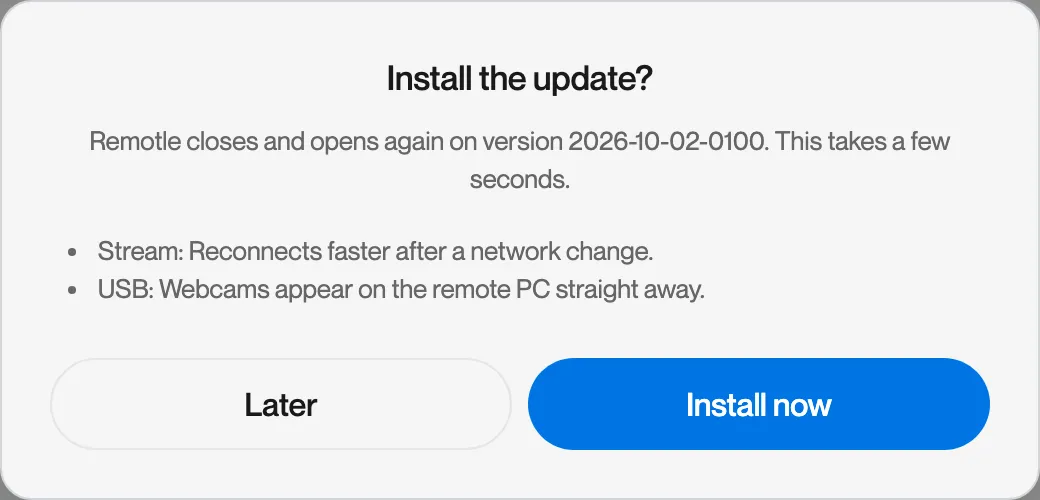
Click Install now.
Remotle lists what is new and asks you to confirm. It closes and opens again on the new version. This takes a few seconds.
During a session, the About tab of the session menu has the same Check for updates button.
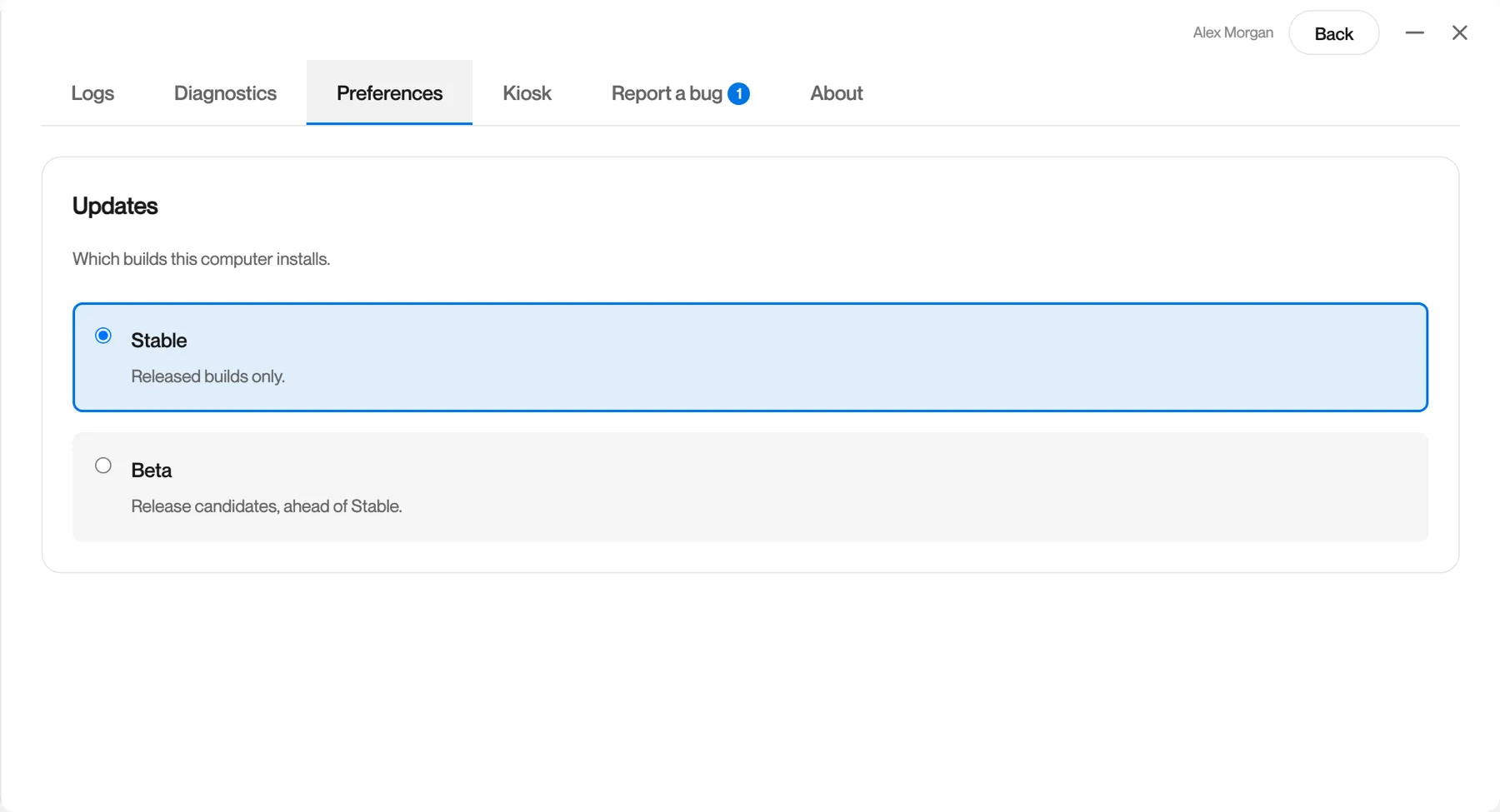
Settings, Preferences, Updates chooses which builds this device installs.
| Channel | Contents | Choose it when |
|---|---|---|
| Stable | Released builds only. | Always, unless Computle asks you to test something. |
| Beta | Release candidates, ahead of Stable. | Computle has asked you to try a change before release. |
The change takes effect at the next check.
Remotle versions are named by build date and time, for example 2026-10-11-2304. The version is in Settings, About and on the About tab of the session menu. On Windows, About Computle (Remotle) in the install folder shows it too, with your update channel and install ID. See Check your version.
No. Updates never install while a session is running. They install between 02:00 and 05:00 when Remotle is idle, or when you click Install now.
The update stays ready, and Remotle offers it again the next time it opens. On Windows and Mac it installs by itself between 02:00 and 05:00 if the app is idle. You can install it at any time from Settings, About.
Not by hand. If a new version does not start correctly, Remotle returns to the previous version by itself.
No. The workstation runs the Computle (Remotle) Host, which updates on its own schedule. See Host Updates.